
Bring records together
Start from one of six populated examples. Add records manually, map CSV columns into Entity fields, or review a proposal from pasted text using your own OpenRouter key.


LAGE BUREAU / VISUAL RESEARCH
Turn scattered records into a Network you can inspect. Connect people, companies and assets, keep the evidence beside each claim, and follow the next useful lead.
SEE THE WORK
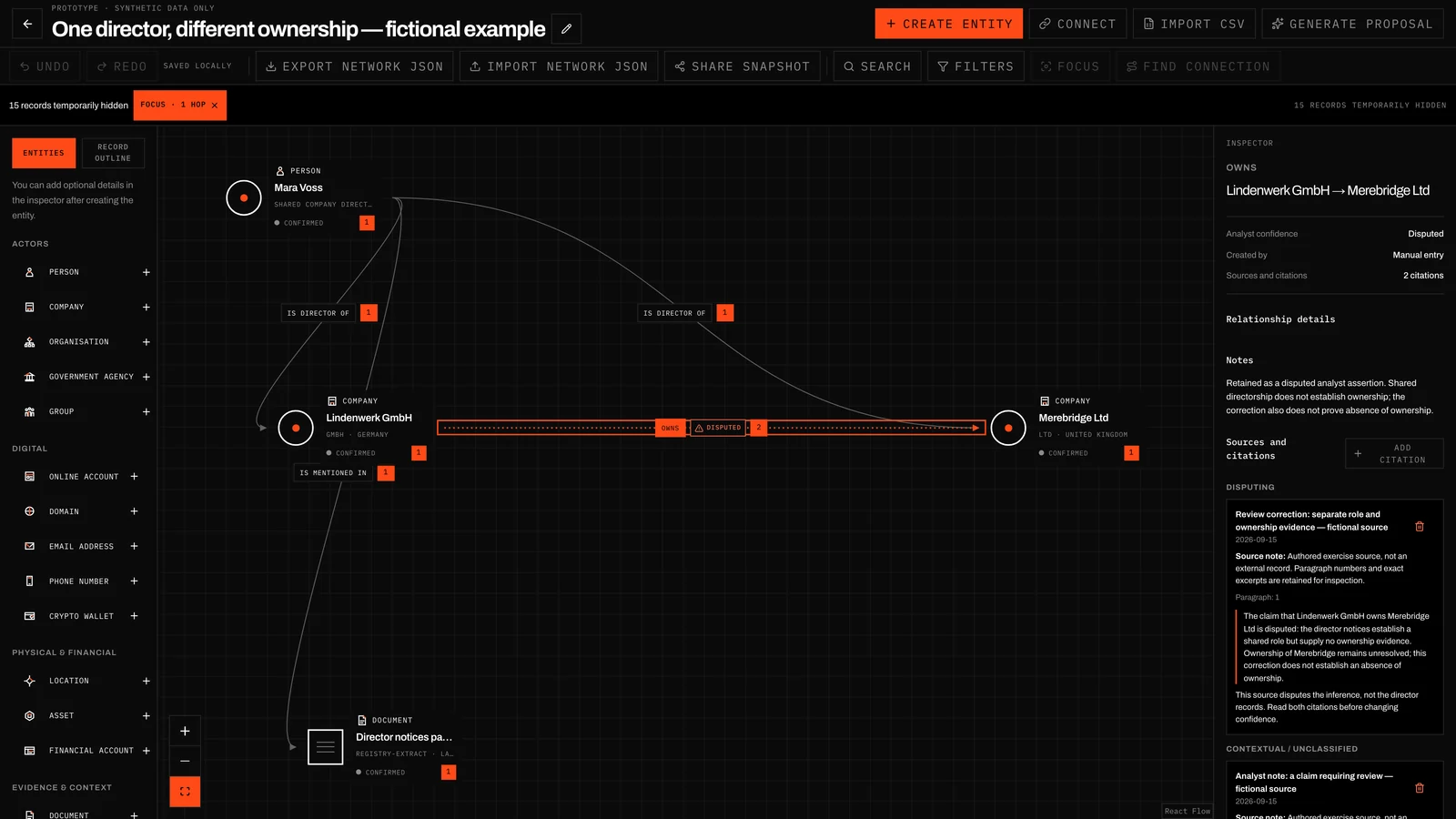
Inspect a disputed relationship, read the source excerpt behind it and use one-hop Focus to examine nearby connections.
A WORKING METHOD
Start from one of six populated examples. Add records manually, map CSV columns into Entity fields, or review a proposal from pasted text using your own OpenRouter key.
Connect the relevant records and distinguish a documented role from a lead that still needs checking. Your confidence and notes travel with the claim.
Attach reusable Sources and precise Citations. Read the excerpt behind a relationship without losing your place in the Network.
Search, filter, Focus or find a path between records. Edits autosave in this browser; export validated Network JSON or deliberately publish a snapshot.
INSIDE THE APP
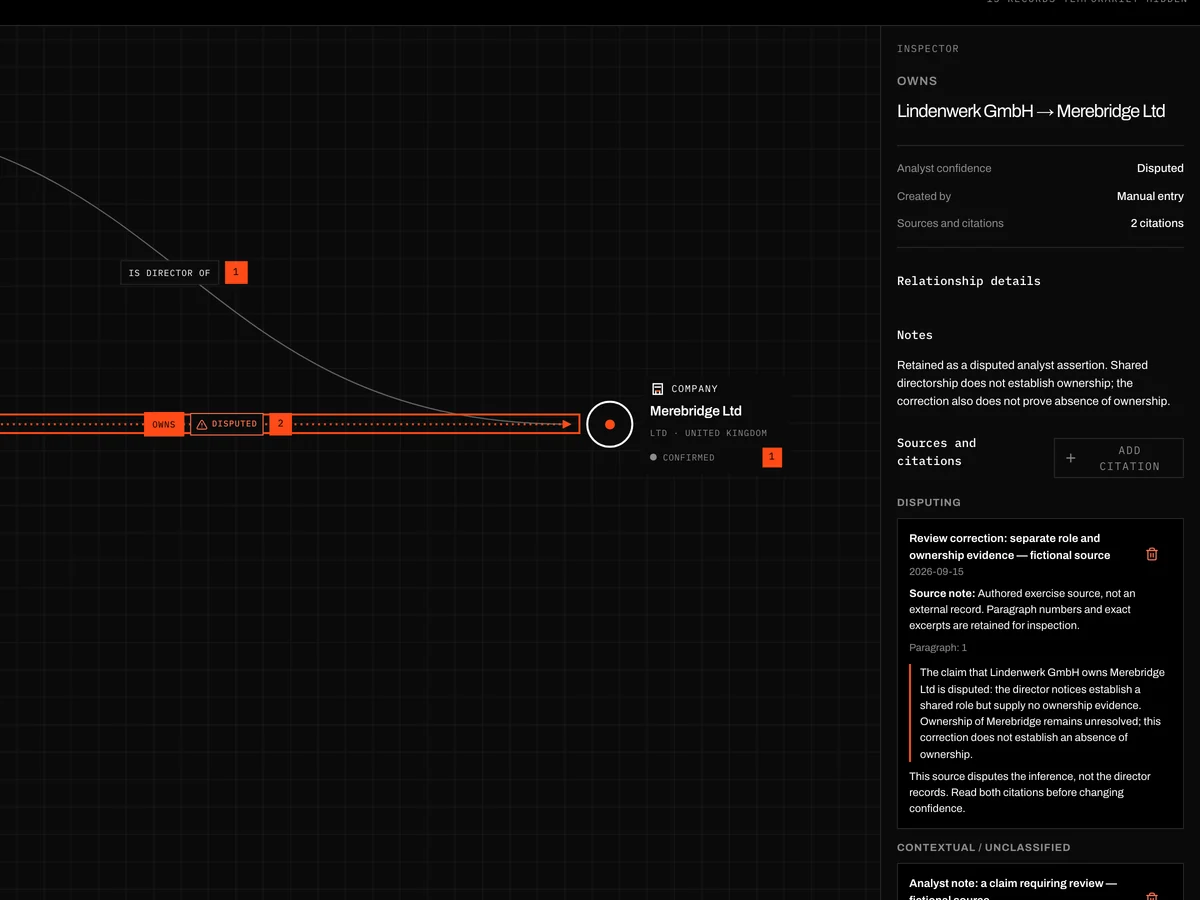
A relationship is a claim you can inspect. Keep the source excerpt, analyst confidence and research notes together, including evidence that disputes a connection.
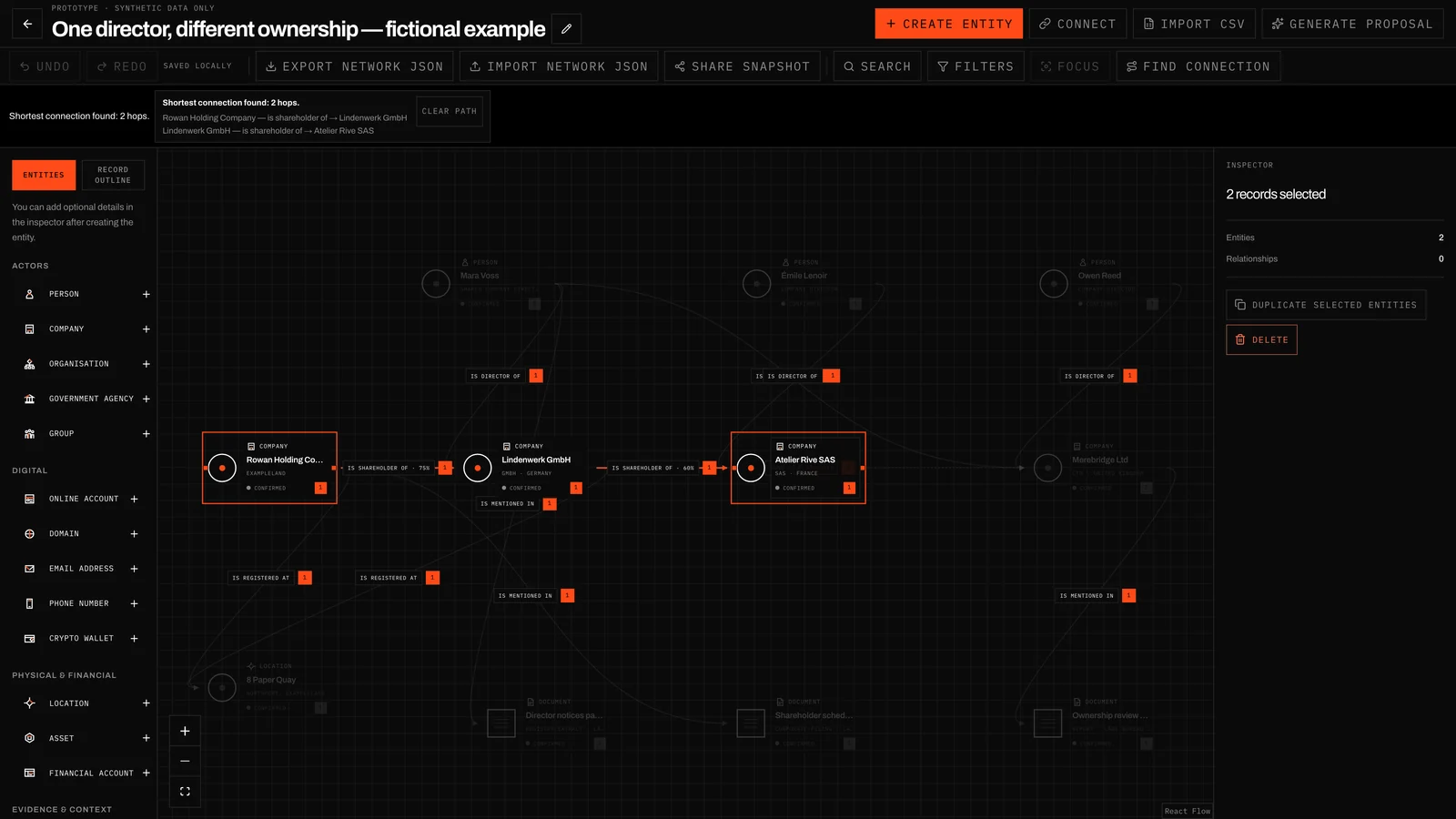
Search for a record, narrow the visible field with filters, Focus around a selected Entity or find a connection between two records. Exploring changes the view, not the meaning of your data.
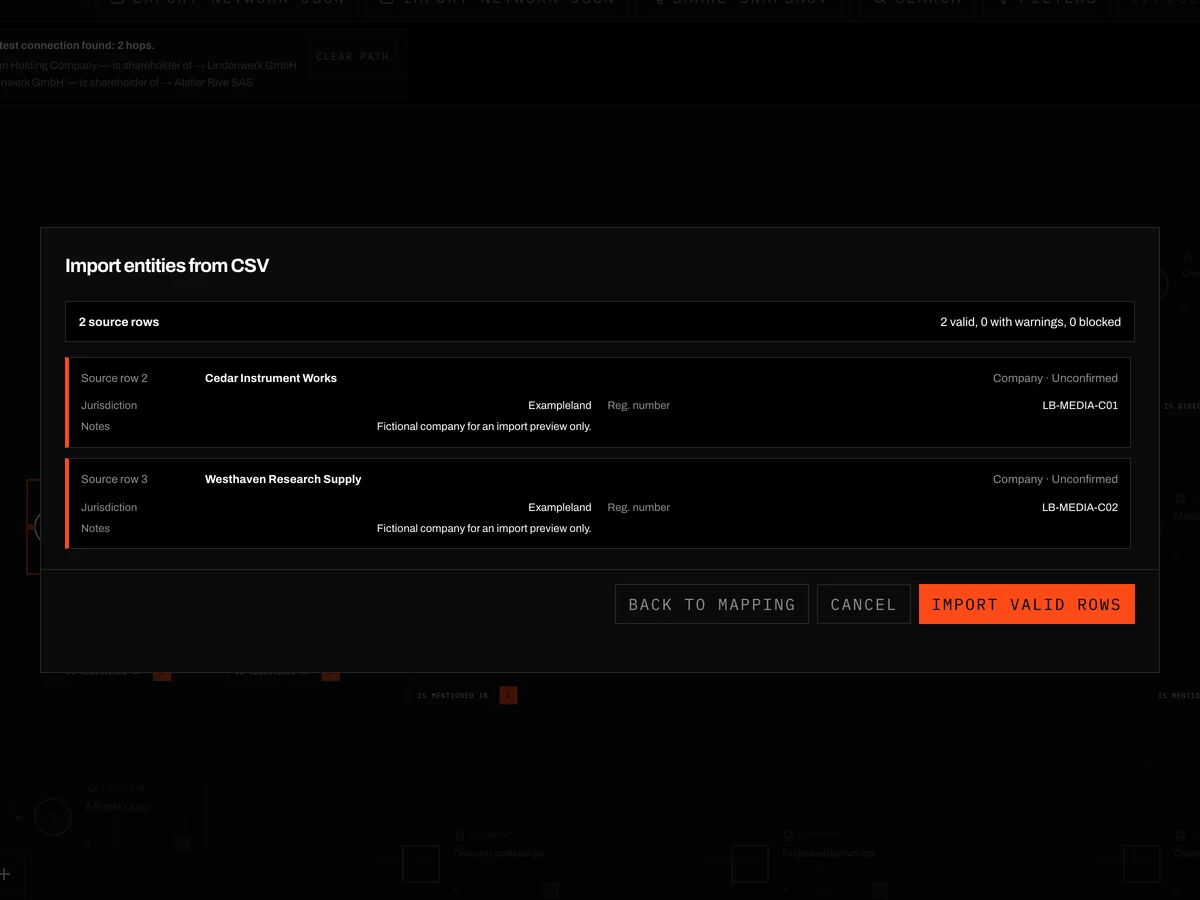
Bring in Entities from a CSV file or ask the integrated AI agent for a proposal from pasted text. Inspect the proposed records and supporting excerpts, then choose what to apply. AI does not verify your investigation.
SIX STARTING POINTS
Each example is a complete fictional Network with a different research problem, readable source material and a lead worth exploring.
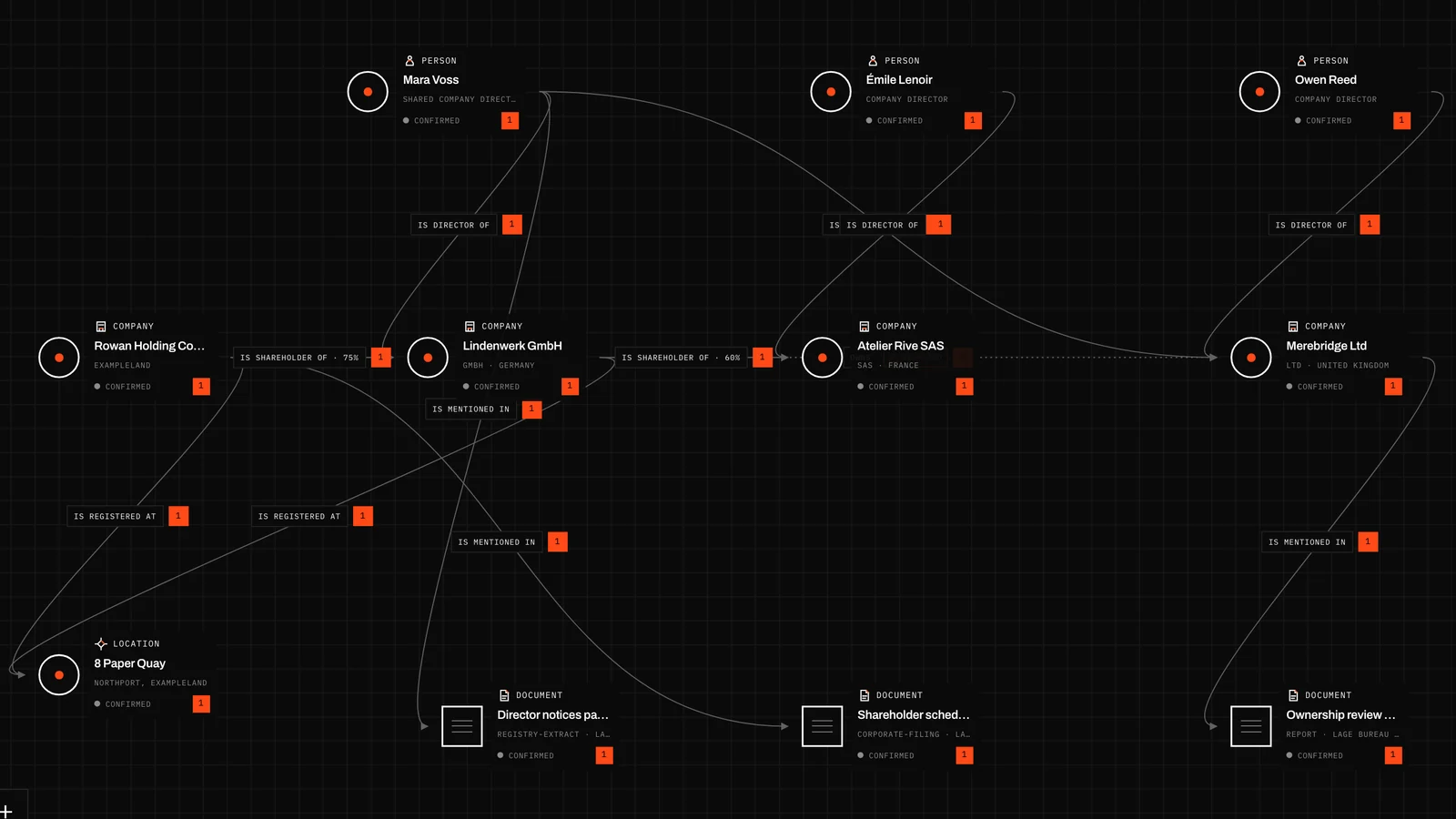
Compare director roles across three fictional companies, then contrast the role records with a shareholder schedule and a disputed ownership inference.
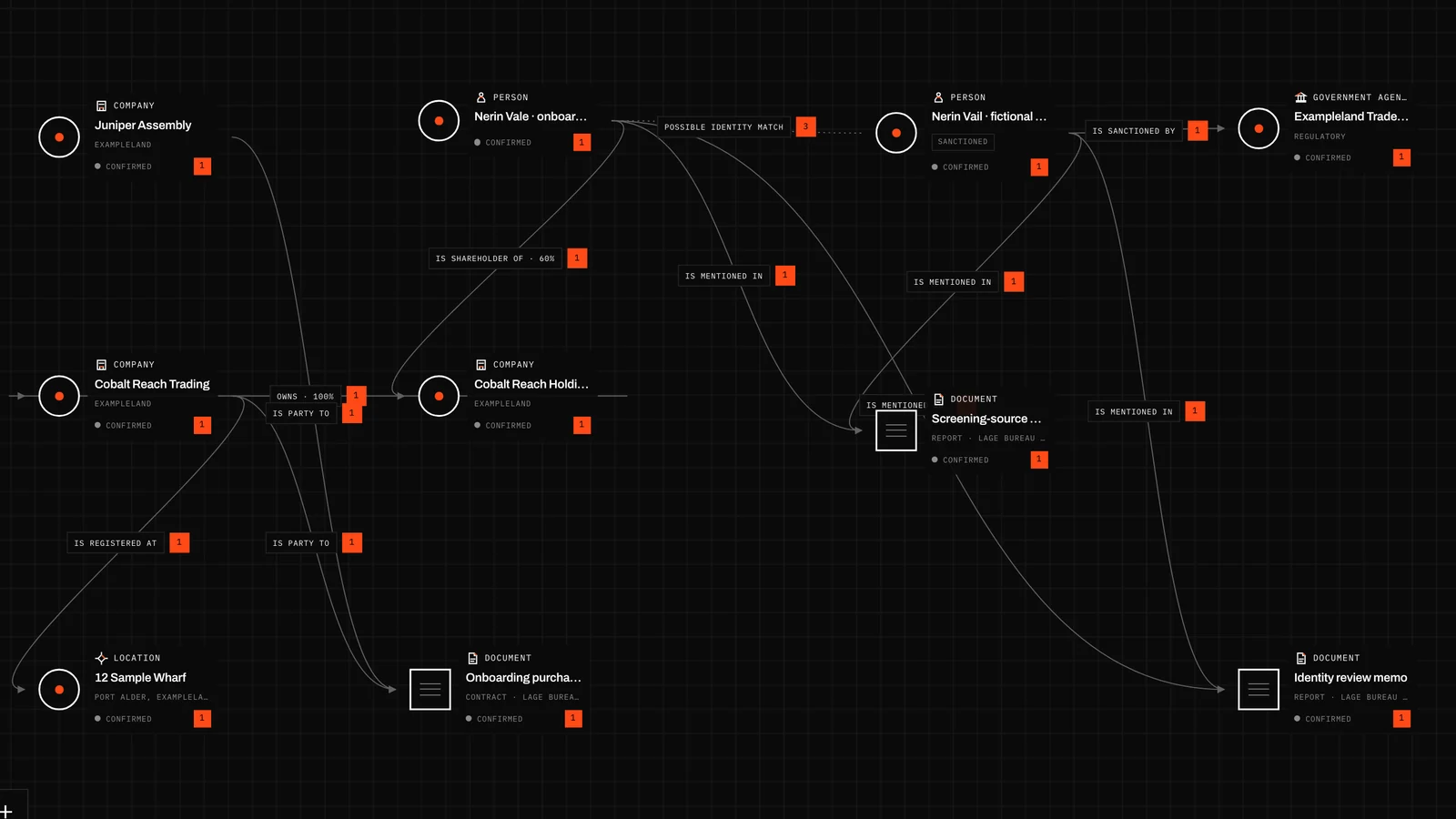
Review a fictional counterparty chain alongside an authored screening packet. Keep the listed identity separate from a similarly named owner while the match remains unresolved.
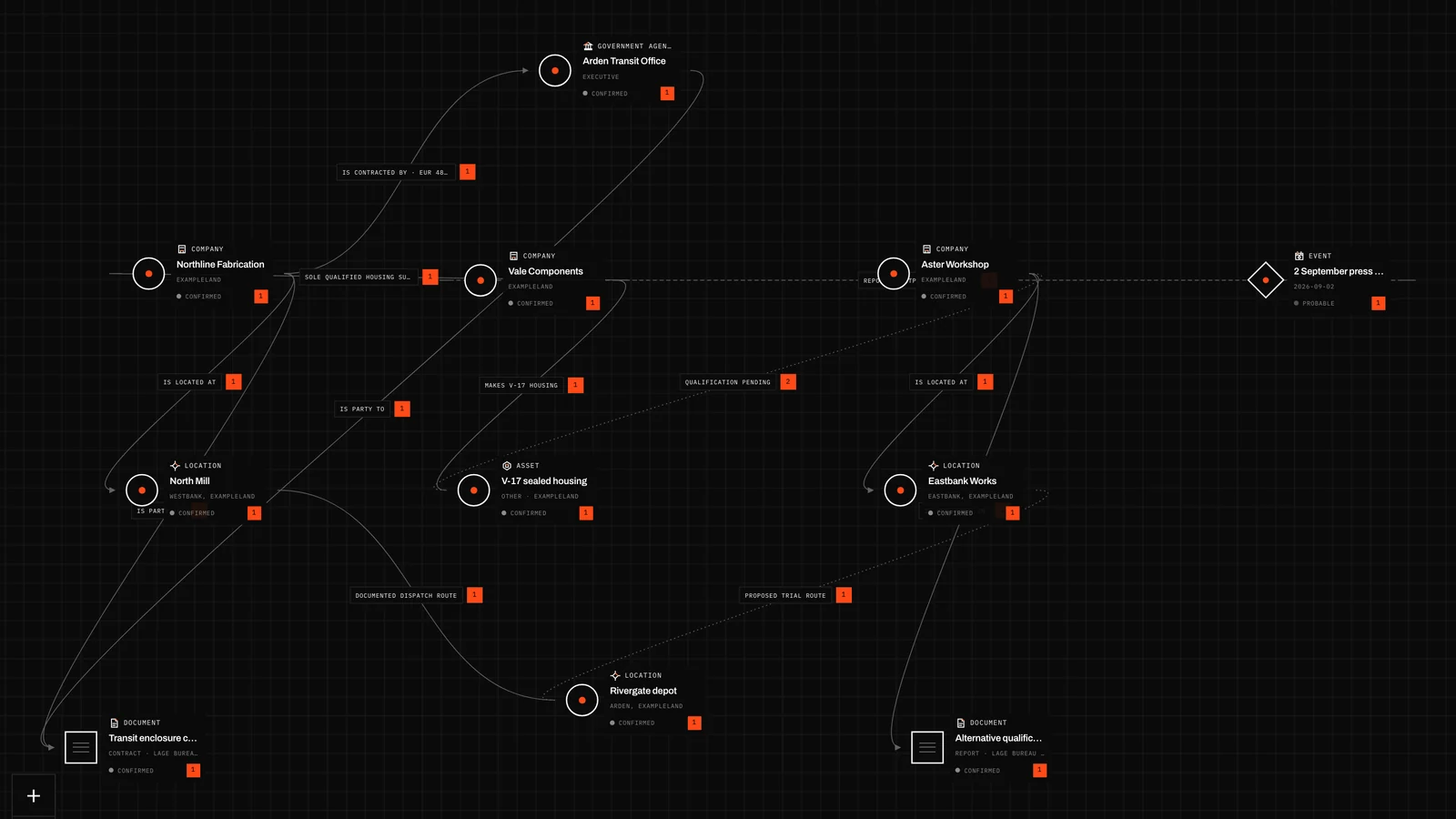
Trace a fictional transit-equipment supply chain from a public buyer through a primary supplier and shared component maker. An alternative factory appears useful, but its qualification is still open.
Example records and sources are in English. The application interface supports English and German.
See all examplesYes. Open an example to inspect its shared snapshot. To edit it, sign in if needed, choose “Copy to my Networks” and confirm “Create local copy”. The copy includes its records, relationships, layout and sources.
Working Networks autosave in your browser on this device. They are independent of your signed-in account and are not cloud-synchronized. Export Network JSON before clearing browser data or moving to another browser.
The application uses account access through email/password or the available Google sign-in. The public website and example guides can be read without an account. Account access does not move your local Networks between devices.
Import a validated complete Network JSON document or preview CSV Entity records. Export Network JSON to keep the Network and its evidence portable. CSV input does not automatically verify identities or create arbitrary relationships.
You can share an immutable, unlisted snapshot. A signed-in recipient can copy it into an independent local Network. This is not live collaborative editing; your later edits do not change the shared snapshot or their copy.
The application interface supports English and German. The website is available in more languages. Example records and authored source excerpts currently remain in English, and changing the interface language does not translate your research data.
Research becomes useful when someone else can follow the reasoning. Lage Bureau exists to help people turn scattered public information into Networks whose entities, relationships, sources and uncertainty remain inspectable.
We are a small German team at Wehron GmbH building for independent investigators, OSINT practitioners, ethical security researchers, analysts and people exploring AI-assisted research. AI may propose structure; people decide what holds. A visible connection remains a claim until its evidence and limits can be examined.
Lage Bureau is a brand of Wehron GmbH, based in Düsseldorf, Germany.
Read our missionChoose a populated example and make it your own. The first question is already there; the direction is yours.